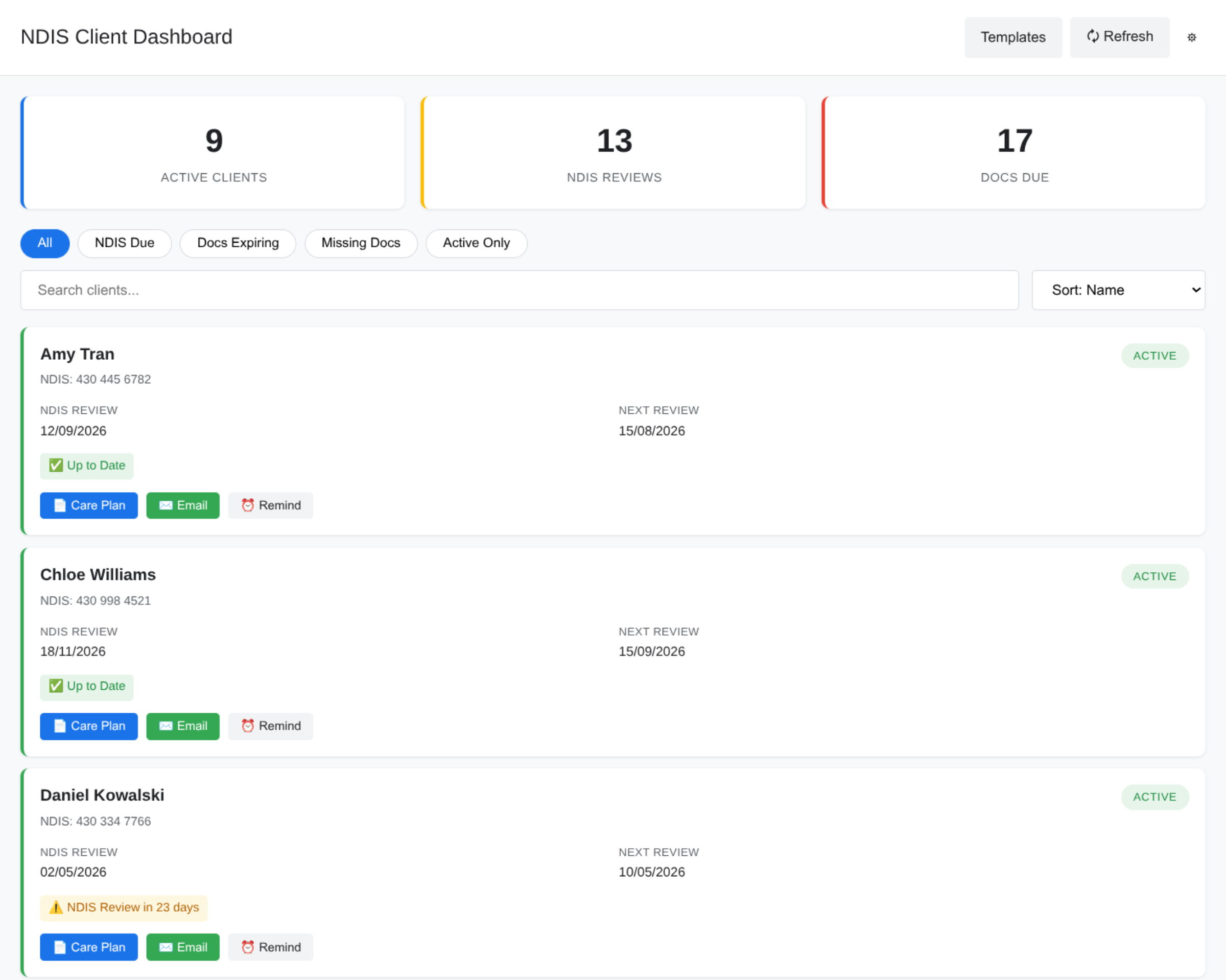
PR Buddy is another custom tool I built for our business, this time to handle the NDIS compliance and client admin side of things.
While Booking Buddy handles bookings, PR Buddy handles everything else that goes with running services for participants:
- Tracks document expiry (service agreements, BSP, medication docs, media consent, intake forms, indemnity contracts) with 30-day warnings
- Sends smart reminders (one-time, recurring, date-specific) with rich client context via Gmail
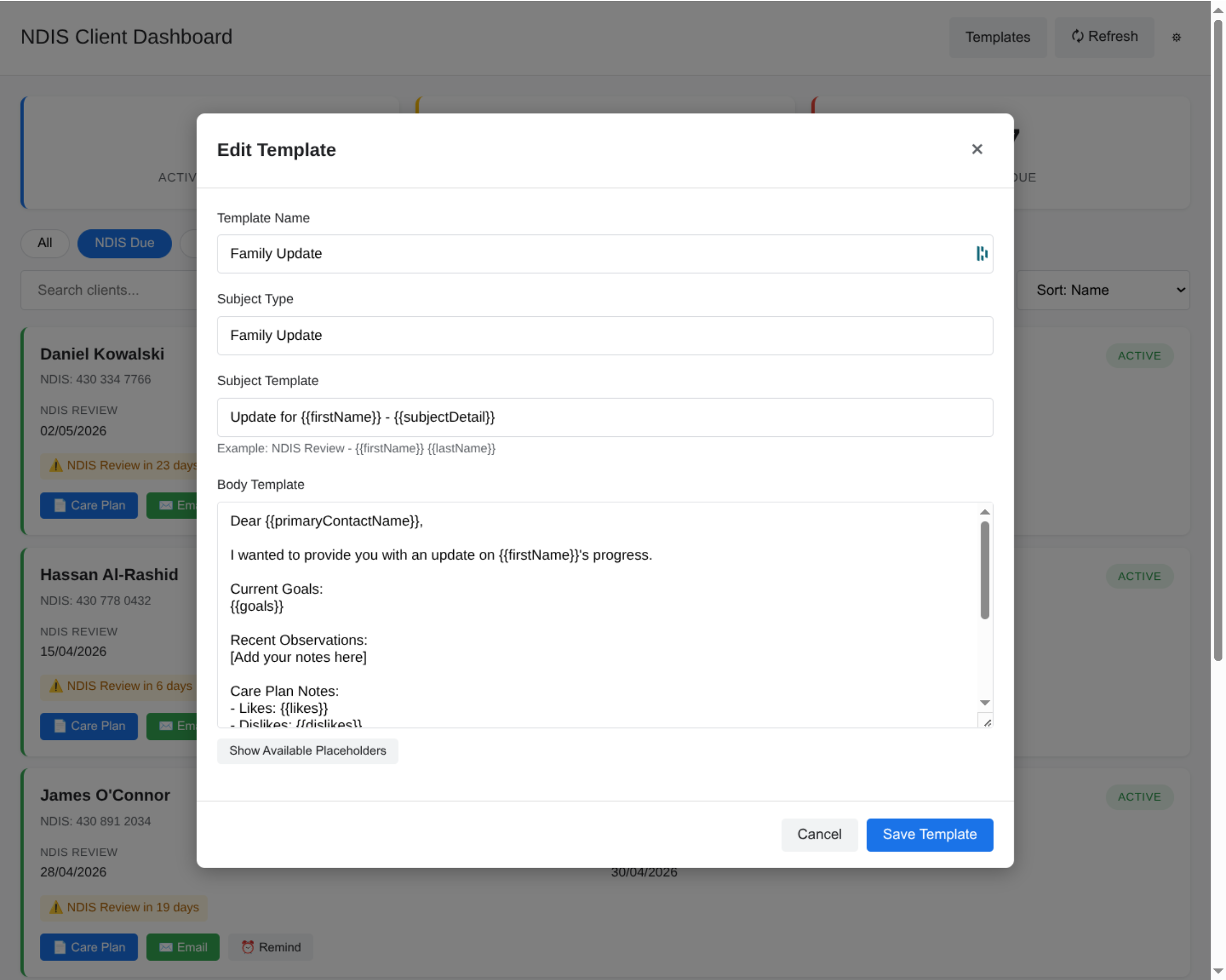
- Manages email templates with 40+ dynamic placeholders and a live preview editor
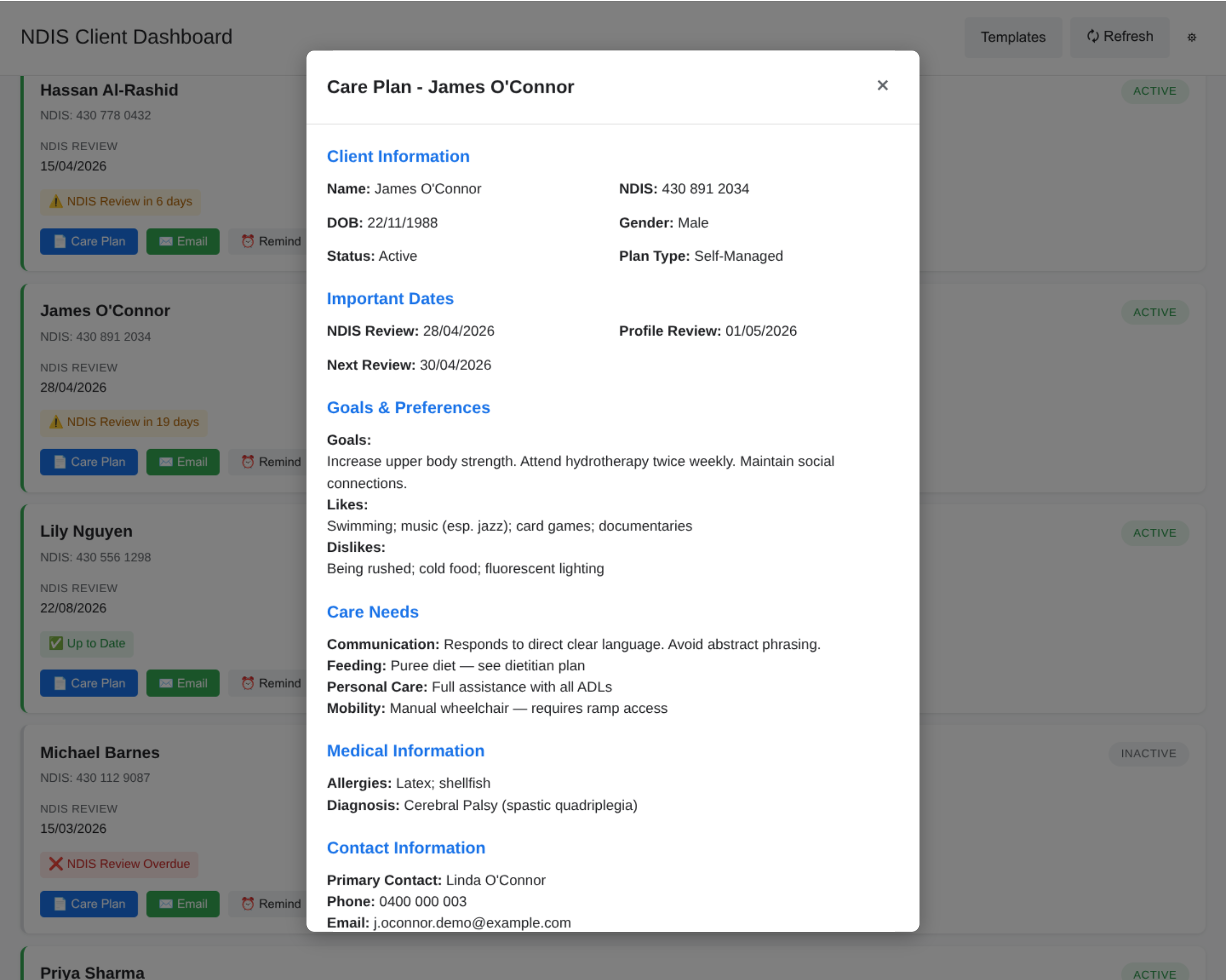
- Shows a care plan view: goals, care needs, medical info, and contact details all in one panel
- Wraps our existing client Google Sheet in a filterable, searchable dashboard UI
Why another Apps Script tool?
Same reason as Booking Buddy. Our business lives in Google Sheets, and the alternative was paying per-client for a compliance system we’d have to migrate data into. The Sheets-first approach has kept the ongoing cost at zero and meant I could ship incrementally without ever asking the team to stop using what they already knew.
The other benefit is Google does all the heavy lifting for auth and security. I don’t need to build a login system. I don’t need to host anything. Permissions are the same as the spreadsheet. If you can edit the sheet, you can use the dashboard.
The trade-off: Apps Script is slow
The biggest drawback (and this is something I learned the hard way on Booking Buddy before carrying it into PR Buddy) is that Apps Script on the free tier is slow. And not because the code is slow. I’ve spent a lot of time optimising both of these tools: batching getValues() / setValues() calls, caching column maps, avoiding per-row sheet reads, pushing work into single round-trips wherever possible. It helps, but there’s a floor you can’t push through. Every google.script.run call has to round-trip to Google’s servers, wake up a container if one isn’t warm, authenticate, run, and come back. The per-call latency is the thing that’s free, not the execution.
What I’ve had to accept is that the UX needs to be designed around this. Skeleton loaders. Optimistic UI where possible. Fewer but fatter server calls instead of lots of chatty ones. Background prefetching on page load. The dashboard still feels noticeably slower than a modern SPA on dedicated infrastructure, but the cost of “dedicated infrastructure” for a small business that lives in Sheets isn’t worth it. The trade is real and I think it’s the right one for us.
Architecture
The whole thing is a set of IIFE modules inside an Apps Script project:
Code.js              -- entry points, menu, triggers
DataService.js       -- client data reads, column mapping, search
ComplianceService.js -- document expiry tracking, review date monitoring
ReminderService.js   -- reminder CRUD, scheduling, rich context emails
TemplateService.js   -- template CRUD, placeholder replacement
EmailService.js      -- Gmail draft creation, template rendering
ConfigService.js     -- sheet initialization, config constants
Dashboard.html       -- main UI (sidebar + web app)
Styles.html          -- CSS
ClientScript.html    -- client-side JavaScript
Each service owns one thing and only talks to the others through a public API. It’s not OOP. It’s plain old modular functional code, but the boundaries are strict enough that I can refactor one service without touching the others. After the Booking Buddy refactor pain (see that post), I was a lot more deliberate about boundaries this time.
The bug that taught me a lesson
The dashboard renders by calling server-side functions through google.script.run. All fine, except Apps Script silently drops Date objects during serialisation between server and client. They don’t throw. They don’t warn. They just come through as null.
Which meant: dashboard shows “9 active clients” at the top, client cards section is empty, no errors anywhere. I spent a while convinced my filter logic was broken before realising every date field in every client object was null by the time it hit the browser.
The fix was a small helper:
function sanitizeDates_(obj) {
  const result = {};
  for (const key in obj) {
    if (obj[key] instanceof Date) {
      result[key] = obj[key].toISOString();
    } else {
      result[key] = obj[key];
    }
  }
  return result;
}
Every server function that returns client data now maps through this before returning. The client side parses the ISO strings back into dates as needed.
Lesson: when something silently disappears, check the wire format. And when something works in your dev console but not in the web app, serialisation is always a good first suspect.
Compliance as a core feature
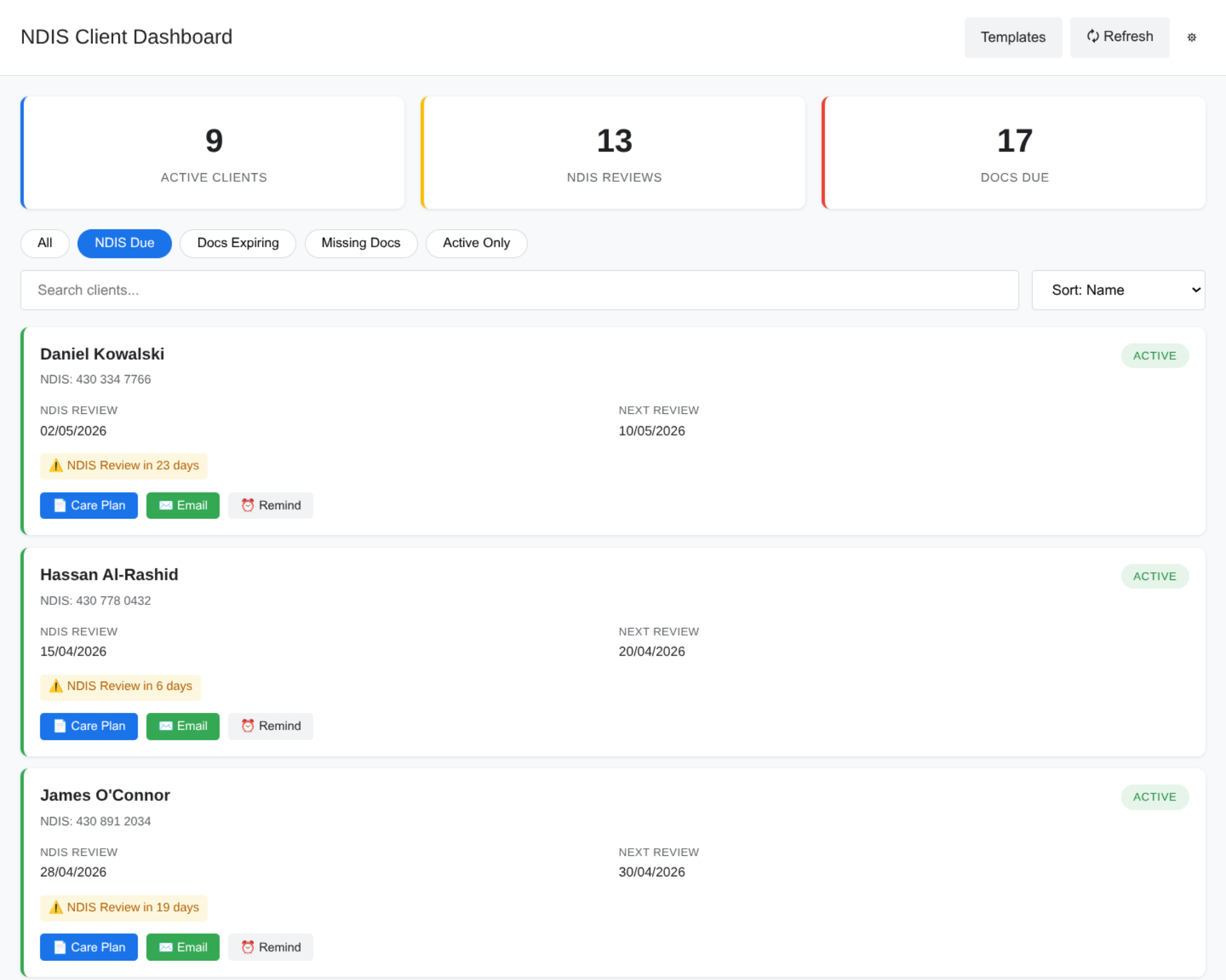
The most valuable part of PR Buddy is the compliance tracking. NDIS providers are required to keep a whole stack of documents current, and letting one slip (an expired service agreement, an overdue review) can cost money or worse. Before PR Buddy we were tracking this in a separate spreadsheet with conditional formatting, and nobody remembered to check it.
Now the dashboard shows compliance status per client (green / yellow / red), has filter pills for “Docs Expiring” and “Missing Docs”, and hourly triggers email reminders about anything coming up in the next 30 days. The behaviour is the same as what we were doing manually, but the friction is gone.
Now open source
I’ve open sourced PR Buddy under MIT. It’s at github.com/curtislmartin/PR_Buddy. If you run an NDIS business, or any business that tracks compliance documents against a client list, the code should be directly usable. There’s a setupDemo() function that populates a blank Google Sheet with 10 fictional clients covering a range of compliance states so you can see what it looks like before committing to anything.
If you use it and improve something, I’d love to see the PR.
Ideas
- Move from sheet-based config to Properties Service for sensitive config
- Better handling for clients with no NDIS plan end date
- Bulk reminder creation across multiple clients
- Audit log for who-did-what inside the dashboard